Zero to Profitable Chrome Extension: Ship and Monetize in 30 Days
Build, ship, and monetize a real Chrome extension in 30 days with an aggressively practical, step-by-step system that eliminates the "final 20%" problem. You'll go from idea validation to a production-ready Manifest V3 extension on the Chrome Web Store, with Stripe-powered payments, authentication, analytics, and a repeatable launch plan to reach your first 100-1,000 users and your first meaningful revenue.
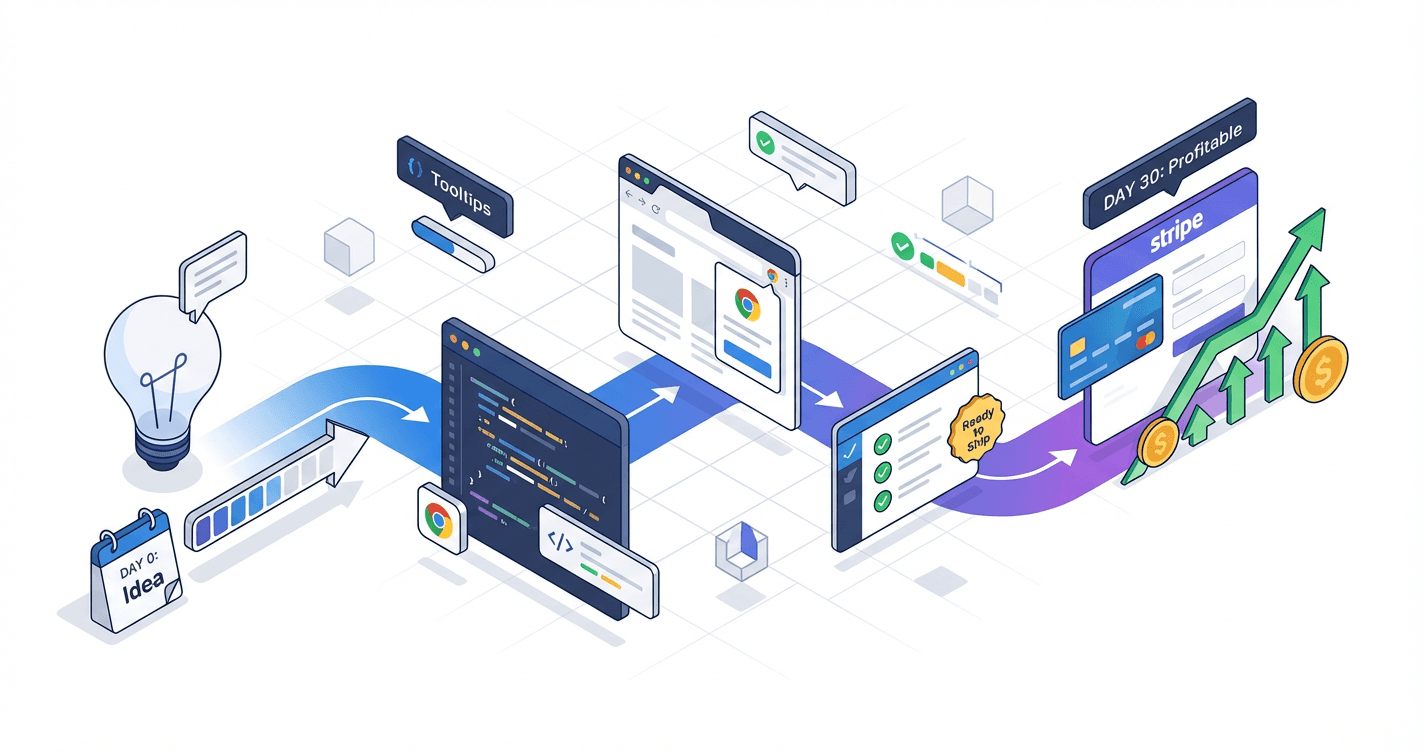
You have five unfinished side projects rotting in GitHub and a folder full of "someday" ideas, but in 30 days you could have a live Chrome extension generating your first dollar online. This course walks you through the entire path from idea validation to payment integration to your first 100 users, taught by someone who has actually shipped and sold extensions, not just talked about it. No fluff, no theory, just the exact tactical system that gets builders like you past the finish line and into profit.
What Students Say
Hear from learners who have completed this course:
Tomás R.
Growth Marketer (SaaS)
I came in with a half-baked idea and a habit of tinkering forever. Section 1’s “30‑Day Scope” forced me to define a single use case (one-click UTM builder + template library) and cut everything else. The Week 1 milestone in Section 2 got me shipping a working Manifest V3 extension with a service worker and permissions locked down—stuff I’d been avoiding because MV3 felt confusing. The biggest win was Section 7: the compliance checklist and listing optimization saved me from a rejection (I fixed my permissions description + privacy disclosures before submitting). Result: approved on the first try and reached 320 users in 3 weeks through the launch plan in Section 8. I’m now at ~$640 MRR from a freemium tier with a Pro upgrade, and my day job actually benefits because I’m using the extension daily for campaign QA.
Read more
Adaeze O.
Product Analyst at a Fintech Company
I’m not a full-time engineer, so I needed a roadmap that wouldn’t collapse at the “final 20%.” Section 3 on persistence and UX polish was the difference between a demo and something people keep installed—I implemented synced settings with Chrome storage and a simple onboarding flow so users didn’t get lost. Section 6 (analytics + feedback loops) was unexpectedly practical: I instrumented key events (install → activation → first successful action) and set up a lightweight feedback prompt after the third successful use. Concrete impact: retention improved from ~18% to 34% week-over-week once I fixed the activation drop-off the analytics exposed. I launched to the Web Store in Week 4 and used the growth playbook to get my first 100 users from niche communities (not ads). It also directly helped my career: I used the metrics + launch story in an internal promo packet and got moved into a product-led growth project.
Read more
Leila B.
Freelance Full-Stack Developer (Client Work)
My client wanted a paid Chrome extension but kept changing requirements. This course gave me a structure to keep scope under control and still ship. Section 4 on authentication and backend architecture was gold—I followed the recommended approach for account linking and avoided a fragile setup that would’ve broken with MV3 constraints. Then Section 5 walked me through Stripe monetization in a way that finally clicked: I implemented a paywall, entitlements, and a clean “free vs Pro” gating strategy without turning the extension into a mess of if-statements. After launch, we used Section 6 to track trials-to-paid and learned users were dropping at the first-run setup, so I added a guided setup step and conversions improved from 2.1% to 4.8% over the next month. The client’s extension is now generating about $1.2k/month and, selfishly, I can now confidently quote and deliver extension projects without underestimating Web Store and MV3 realities.
Read more
Course Overview
Build, ship, and monetize a real Chrome extension in 30 days with an aggressively practical, step-by-step system that eliminates the "final 20%" problem. You'll go from idea validation to a production-ready Manifest V3 extension on the Chrome Web Store, with Stripe-powered payments, authentication, analytics, and a repeatable launch plan to reach your first 100-1,000 users and your first meaningful revenue.
Section 1: Pick a Profitable Extension Idea and Define the "30-Day Scope"
You'll choose an extension concept that can realistically ship in 30 days, validate demand quickly, and define a tight MVP that supports a clear monetization path. This section prevents analysis paralysis and scope creep by forcing crisp decisions up front.
Learning Outcomes:
- Validate an extension idea in under 2 hours using a lightweight demand checklist (keywords, competitors, pain intensity, willingness to pay).
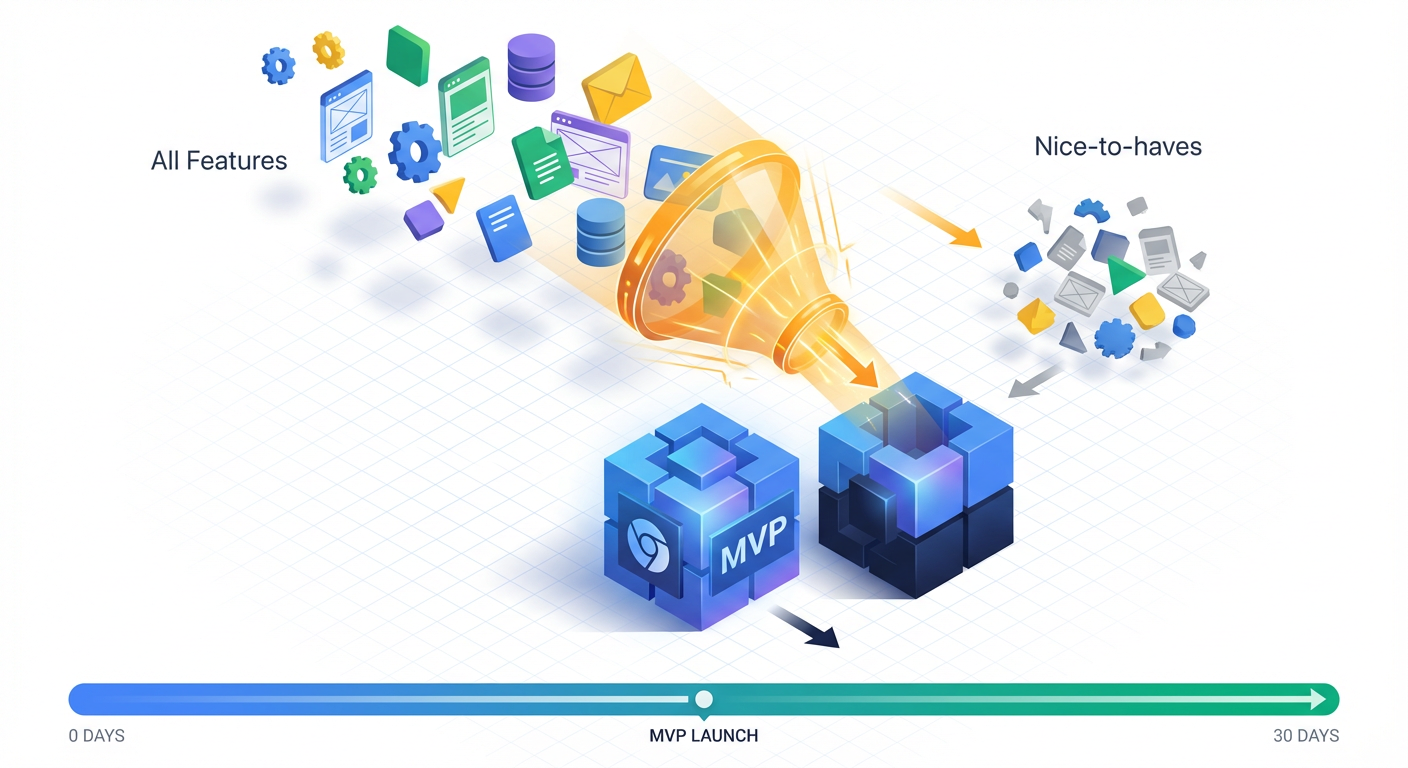
- Define a shippable MVP with a "must-have vs nice-to-have" feature boundary to avoid the 80% complete trap.
- Write a one-page product spec: target user, core workflow, value proposition, and pricing hypothesis.
You have a folder on your computer right now--likely named projects, dev, or sandbox--that is full of half-finished dreams. It contains the React app you started three years ago, the SaaS boilerplate you bought but never configured, and the "revolutionary" to-do list app that stalled because you couldn't decide on a database schema.
We need to close that folder.
In this course, we are not building for the sake of coding. We are building for the sake of shipping. The goal of this section is to drag you out of analysis paralysis and force you to make a binary decision: What are we building, and does it have a clear path to $1,000/month?
The 2-Hour Validation Framework
Most developers spend weeks building a "Proof of Concept" only to realize no one wants it. We are going to flip this. You should spend no more than two hours validating your idea. If you can't find evidence of demand in two hours, you won't find customers in two months.
We are looking for a Micro-SaaS Extension. This differs from a standard web app because it lives where the user works (the browser) and enhances or modifies an existing platform (like LinkedIn, Gmail, Upwork, or AWS).
Key Insight: The most profitable extensions often don't create new behaviors; they remove friction from existing high-value workflows. Find a platform where people are already spending money, and build a tool that saves them time on that platform.
The Demand Checklist
Run your idea through these four filters. If it fails one, kill the idea and move to the next.
- Keyword Volume (The "Searching" Test): Use the Chrome Web Store search or a tool like Ubersuggest. Are people typing in specific problems?
- Good: "Export LinkedIn contacts," "AWS cost visualizer," "Dark mode for Jira."
- Bad: "Cool visuals," "My personal new tab page."
- Competitor Revenue (The "Wallet" Test): Look for existing extensions in the niche.
- Do they have users? (1,000+ is good; 1,000,000+ is too crowded).
- Do they have a "Pro" plan? If a competitor is charging, that is good news. It proves willingness to pay.
- Red Flag: 10 free extensions with high user counts and zero paid options. This suggests a user base that refuses to pay.
- Pain Intensity (The "Migraine" Test):
- Does this problem cost the user money or significant time daily?
- High Value: Helping a recruiter scrape leads (Time = Money).
- Low Value: Changing the color of the Facebook header (Aesthetic preference).
- Technical Feasibility (The "30-Day" Test):
- Can the core value be delivered via client-side JavaScript and a lightweight backend? If you need to train a custom LLM or reverse-engineer a heavily encrypted private API, it is not a 30-day project.
Comparison: Hobby Project vs. Profitable Product
Here is how to distinguish between a project that builds your portfolio and a product that builds your bank account.
| Feature | Hobby Project (Avoid) | Profitable Product (Target) |
|---|---|---|
| Idea Source | "I thought it would be cool to build..." | "I saw people complaining about..." |
| Monetization | "I'll add a donation button later." | "I solve a $50/hr problem for $5/mo." |
| Competition | "No one else is doing this!" (Danger sign) | "The existing tools are ugly/broken/abandoned." |
| Tech Stack | The newest framework you want to learn. | The boring stack you already know. |
| User Base | General internet users. | Specific professionals (Recruiters, Devs, Marketers). |
Defining the 30-Day Scope (The MVP Boundary)
The number one reason developer side projects fail is scope creep. You start building a simple email tracker, and suddenly you are writing your own analytics engine and implementing multi-factor authentication.
For this course, we are adhering to a strict 30-Day Scope. This means every feature must fight for its life to be included.
The "Must-Have" vs. "Nice-to-Have" Guillotine
To ship in 30 days, you must ruthlessly cut features. Your MVP (Minimum Viable Product) should do one thing exceptionally well.
Let's use an example: A Chrome Extension that bulk-deletes tweets/X posts.
- Must-Have (The "Ship It" List):
- Auth via Twitter/X (OAuth).
- Fetch user's tweets.
- Select tweets by date range.
- Delete selected tweets.
- Stripe Integration (Payment).
- Nice-to-Have (The "Version 1.1" List - CUT THESE):
- AI analysis of tweet sentiment.
- Automatic scheduling of future deletions.
- Beautiful dark mode dashboard with charts.
- Archiving tweets to PDF before deletion.
Pro Tip: If a feature does not directly contribute to the user solving their primary pain point or you getting paid, it does not belong in the V1 release. You are not shipping a platform; you are shipping a tool.
The One-Page Product Spec
Before you write a single line of code in the next section, you need a blueprint. This prevents you from getting lost in the weeds of implementation details. Write this down in a Notion doc or a Markdown file in your repo.
1. The Hook (Value Proposition)
One sentence describing what it is and the benefit.
- Example: "A browser extension that allows Upwork freelancers to filter job feeds by 'Client Spend History,' saving them 5 hours of scrolling per week."
2. The Core Workflow (User Journey)
Three bullet points describing the interaction.
- User installs extension and pins it to the toolbar.
- User visits the target URL (e.g., upwork.com/find-work).
- Extension injects a "Filter by $$" dropdown into the existing UI.
3. The Monetization Model
How will you charge?
- Freemium: Free tier offers basic filters; Pro tier ($9/mo) offers advanced filters and email alerts.
- Free Trial: 7 days full access, then paywall.
- Hard Paywall: 5 free uses, then forced upgrade.
- Hypothesis: For the Upwork example, a monthly subscription ($5-10) works best because the user is making money using the tool.
4. The Technical Risks
What is the scariest part of this build?
- Example: "Upwork changes their DOM structure frequently. I need robust selectors."
- Action: I will use
MutationObserverto handle dynamic content loading.
Important: Do not skip the "Monetization Model" step. Many developers build the tool first and try to "tack on" payments later. This leads to awkward user flows. We will integrate Stripe early in the development cycle (Week 2) because a product that cannot take money is just a hobby.
Your Assignment for Today
- Pick a Platform: Choose a site you use professionally (GitHub, LinkedIn, AWS, Jira, Salesforce).
- Find the Pain: Scroll forums or reviews to find what frustrates users about that platform.
- Write the Spec: Create your One-Page Spec.
- Kill the Scope: Remove at least two features you "really wanted" to build.
Once you have your spec defined, you have a finish line. Now we just need to sprint to it.
Coming Up in Section 2
Now that you know what you are building, we need to set up the how. In Section 2, "Environment Setup and Mastering Manifest V3," we will cut through the confusion of the new Chrome extension architecture. You will initialize your repo, configure a Vite + React build pipeline specifically for extensions, and deploy a "Hello World" popup to your local browser in under 30 minutes. No more reading outdated documentation--we start coding immediately.
Section 2: Manifest V3 Foundations and Shipping a Working Extension (Week 1 Milestone)
You'll set up a modern extension project and ship a functional baseline: popup UI, content script, background service worker, and message passing. You'll learn the parts of MV3 that cause most developers to stall, with practical patterns you can reuse.
Learning Outcomes:
- Build a working MV3 extension architecture: manifest, permissions, popup/options pages, content scripts, and background service worker.
- Implement reliable message passing patterns and state handling between scripts without fragile hacks.
- Package and test locally using Chrome's extension tooling, with a debugging workflow you can repeat.
Most developers stall out on Chrome Extensions before they write a single line of business logic. They get tangled in Webpack configurations, confused by the difference between a "background script" and a "service worker," or discouraged when their first message-passing attempt fails silently.
We are skipping the configuration paralysis. In this section, we are building the "Steel Thread"--a functional, end-to-end slice of your extension architecture. By the time you finish reading and implementing this, you will have a working extension installed in your browser that can modify a webpage, store data, and handle user interactions.
The Manifest V3 Architecture
Before we touch the code, you need to understand the terrain. Google's transition to Manifest V3 (MV3) changed the fundamental rules of how extensions live in the browser. In the old days (MV2), background scripts were always running, sitting in memory waiting for something to happen.
In MV3, the "Background Page" is replaced by a Service Worker. This is event-driven. It spins up when an event occurs (like a message or a browser click), does its job, and then terminates. This shift is the #1 reason developers struggle with MV3: you cannot rely on global variables in your background script because they will be wiped out when the worker goes to sleep.
Here is the mental model you need to adopt:

- The Manifest (
manifest.json): The ID card and rulebook. It tells Chrome what your extension is allowed to do. - The Popup: The UI users see when they click your icon. It is just a standard HTML webpage that lives for a few seconds.
- The Content Script: The "hands" of your extension. It lives inside the webpage (e.g., LinkedIn, Gmail) and can manipulate the DOM.
- The Service Worker: The "brain." It coordinates everything, handles events, and makes API calls. It is invisible and ephemeral.
Step 1: The Blueprint (manifest.json)
Create a folder named my-extension-v1. Inside, create a file named manifest.json. This is the strict entry point for Chrome. If this file is invalid, Chrome won't even try to load your code.
Here is a production-ready baseline. We are avoiding the common mistake of requesting too many permissions upfront, which triggers stricter review processes later.
{
  "manifest_version": 3,
  "name": "Week 1 Prototype",
  "version": "1.0",
  "description": "A baseline MV3 architecture.",
  "permissions": [
    "storage",
    "activeTab",
    "scripting"
  ],
  "action": {
    "default_popup": "popup.html",
    "default_icon": "icon.png"
  },
  "background": {
    "service_worker": "background.js"
  }
}
Pro Tip: Note the
storagepermission. Since Service Workers die after a few seconds of inactivity,chrome.storageis your lifeline. It is the only reliable place to persist state (like user settings or auth tokens) between sessions.
Step 2: Reliable Message Passing
This is the technical hurdle that causes the most "rage quits." The Popup, Content Script, and Service Worker live in completely isolated worlds. They cannot share variables. They must communicate via asynchronous messages.
A common novice mistake is sending a message and assuming the receiver is ready. If a user clicks your popup, but your content script hasn't loaded into the DOM yet, the message fails.
We will implement a One-Way Command Pattern. This separates the "request" from the "action" and is highly scalable as your extension grows.
The Background Service Worker (background.js)
This script listens for events. Paste this into background.js:
// background.js

// Listen for installation
chrome.runtime.onInstalled.addListener(() => {
  console.log("Extension installed. Default values set.");
  chrome.storage.local.set({ status: "active", userTier: "free" });
});

// The Central Message Hub
chrome.runtime.onMessage.addListener((request, sender, sendResponse) => {
  if (request.type === "GET_USER_STATUS") {
    // Retrieve data from storage asynchronously
    chrome.storage.local.get(["userTier"], (result) => {
      sendResponse({ tier: result.userTier });
    });
    return true; // CRITICAL: Keeps the message channel open for async response
  }
});
Key Insight: See that
return trueat the end? In MV3, if you handle a message asynchronously (like fetching from storage or an API), you must returntrue. If you forget this, the message channel closes immediately, and your popup will receiveundefinedinstead of data.
Step 3: The User Interface (Popup)
The popup is where the user issues commands. Its script acts as the trigger.
popup.html:
<!DOCTYPE html>
<html>
  <body style="width: 300px; padding: 10px;">
    <h3>Extension Controller</h3>
    <button id="actionBtn">Check Status</button>
    <div id="output"></div>
    <script src="popup.js"></script>
  </body>
</html>
popup.js:
document.getElementById("actionBtn").addEventListener("click", () => {
  // Send a message to the Service Worker
  chrome.runtime.sendMessage({ type: "GET_USER_STATUS" }, (response) => {
    if (chrome.runtime.lastError) {
      console.error(chrome.runtime.lastError);
      return;
    }
    document.getElementById("output").innerText = `User Tier: ${response.tier}`;
  });
});
The Debugging Workflow That Saves Weekends
Debugging extensions is confusing because the logs appear in three different places. If you look in the wrong console, you will think your code is silent when it is actually screaming errors.
Use this reference table to find your errors immediately:
| Component | Where to find the Console logs | Lifecycle |
|---|---|---|
| Popup | Right-click the extension icon -> "Inspect Popup" | Dies as soon as you click away. |
| Content Script | Standard Chrome DevTools (F12) on the webpage. | Dies when the tab closes or refreshes. |
| Service Worker | chrome://extensions page -> Click "service worker" link. | Dies after ~30 seconds of inactivity. |
Important: To load your extension, go to
chrome://extensions, toggle Developer Mode in the top right, and click Load Unpacked. Select your folder. Every time you changebackground.jsormanifest.json, you must click the refresh icon on the extension card.
Why This "Skeleton" Matters
You might look at this and think, "This doesn't do anything yet."
You are wrong. You have just solved the hardest architectural problems of MV3.
- Persistence: You aren't relying on global variables.
- Communication: You have a working bridge between your UI and your logic.
- Permissions: You have a clean manifest that won't get flagged.
From this point forward, "building" just means adding logic to the listeners you already created. If you want to integrate Stripe? You add a message handler in background.js. If you want to change the page color? You send a message to the Content Script.
What You'll Build On
The architecture you built today is the foundation for the advanced modules coming up in the full course:
- In Section 3 (Monetization): We will replace that dummy
userTier: "free"variable with a live check against the Stripe API to lock/unlock features based on payment status.- In Section 4 (Authentication): We will expand the Service Worker to handle OAuth tokens so users can log in with Google.
- In Section 5 (Distribution): We will automate the packaging of this exact folder structure for the Chrome Web Store.
Moving to Production
You now have a local environment where you can write code and see it run immediately. This eliminates the "Analysis Paralysis" of wondering how to start.
However, a working "Hello World" is not a business. The gap between this prototype and a profitable product involves handling payment webhooks securely, ensuring your content scripts don't break when a website updates its HTML, and marketing the tool to users who don't care how your code is written.
In the subsequent sections of the full course, we stop acting like coders and start acting like founders. We will take this skeleton, inject real business logic, and push it to the store. You have the frame; now let's build the engine.
Course Details
- Sections8 sections
- Price$9.99