The Modern Professional Comeback: Master In-Demand Remote Skills in 45 Days (While Kids Nap)
Re-enter the workforce with current, in-demand remote skills in just 45 days using naptime-friendly lessons that fit real life. You'll gain working proficiency in the collaboration tools employers expect, produce a portfolio of credible work samples, and craft a confident comeback narrative that turns your career break into a strength across your resume, LinkedIn, and interviews.
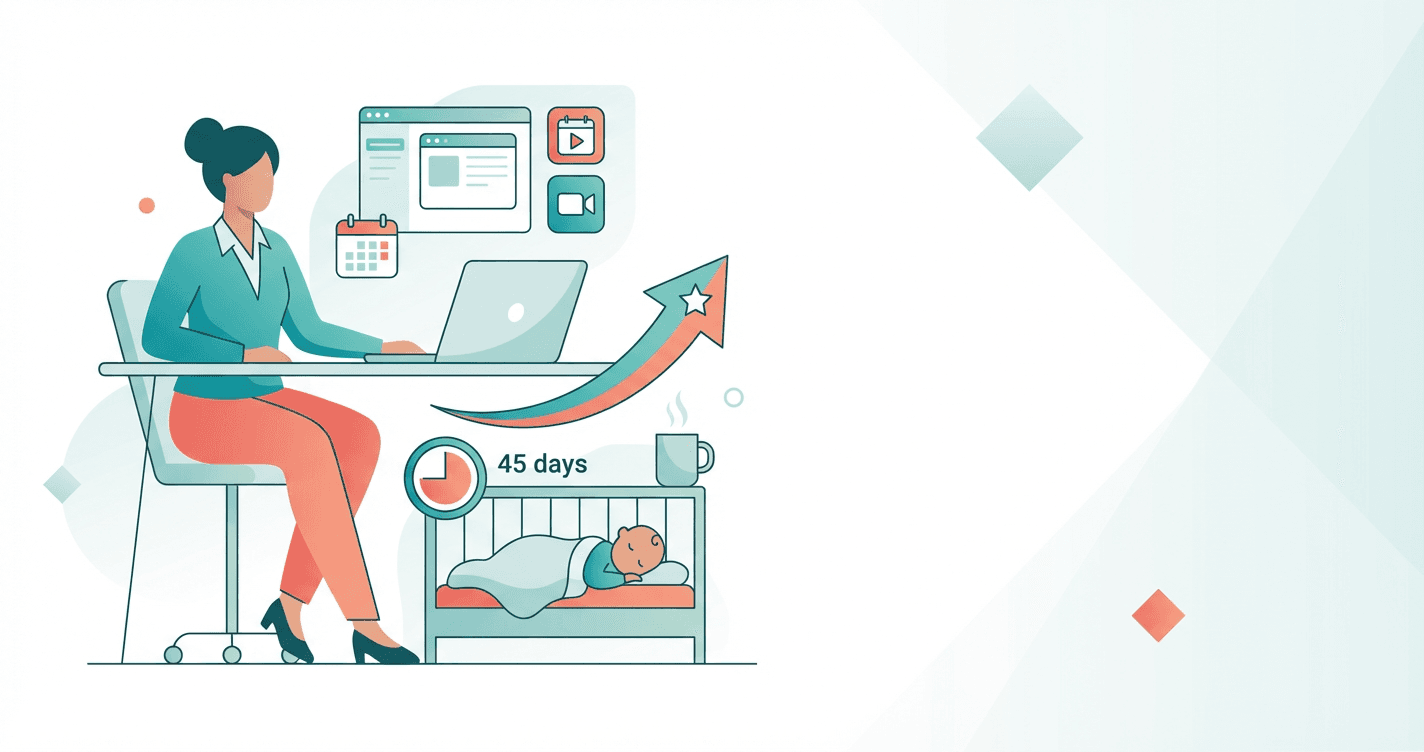
That job posting asks for Asana, Notion, and Slack experience--and you closed your laptop feeling like the professional world moved on without you. Here's the truth: these tools take hours, not years, to learn, and the strategic thinking that made you great before your career break is exactly what employers are desperate for right now. In 45 days of nap-time sized lessons, you'll go from outdated to irreplaceable, with a portfolio that proves you're not just current--you're exactly what remote teams need.
What Students Say
Hear from learners who have completed this course:
Tomás R.
Former Operations Supervisor → Remote Customer Success Specialist
I was out of the workforce for almost four years after my second kid, and I honestly didn’t know how to explain the gap without sounding apologetic. Section 1’s “Comeback Reset” and the scripts in Section 8 helped me frame it as a deliberate season where I built real systems skills. The biggest practical win was Sections 3–6: I stopped “emailing like it’s 2015” and started writing crisp Slack updates with clear asks, plus meeting notes and follow-ups that actually moved work forward. For my portfolio (Section 7), I built an Asana project plan for a mock onboarding workflow and a Notion SOP library—those samples became talking points in interviews. I landed a remote Customer Success role within 6 weeks of finishing, and in my first month my manager called out my Asana board as the reason our handoffs got smoother. Rating: 5/5.
Read more
Adaeze O.
Healthcare Administrator returning as Remote Project Coordinator
I’d managed clinic operations before, but remote work tools were intimidating after a long break. Section 4 (Asana) was the turning point—learning how to translate “everything in my head” into tasks, dependencies, and due dates made me feel competent again. I used the exact approach from the “From Chaos to Clarity” lessons to coordinate a volunteer initiative: intake form → task templates → weekly checkpoints. It wasn’t theoretical; it reduced missed handoffs to basically zero. Section 5 (Notion) also helped me document processes in a way employers trust—I created a single source of truth with SOPs and a decision log, which became one of my portfolio pieces in Section 7. By the time I got to Section 8, I had real artifacts and a clean comeback narrative. I’ve now been hired as a remote Project Coordinator and I’m already the person people ask for documentation. Rating: 5/5.
Read more
Fatima A.
Freelance Arabic/English Translator → Remote Executive Assistant
I needed a structured way to prove I could handle modern remote workflows, not just “I’m organized.” Section 2 on digital communication was surprisingly helpful—things like writing status updates, choosing the right channel, and using concise tone. In Section 6 (Zoom and Meeting Excellence), I practiced agenda-setting and follow-through, then used the meeting notes template to run a weekly client call for a small nonprofit. The result was immediate: fewer “wait, what did we decide?” messages and faster decisions because action items were clear. My favorite portfolio piece from Section 7 was a Notion-based meeting hub (agenda, notes, action items, and a simple KPI snapshot). When I updated my LinkedIn using Section 8’s headline and “career break” framing, recruiters actually started responding. I accepted a remote Executive Assistant position and feel genuinely current with Slack etiquette and Asana coordination in day-to-day work. Rating: 5/5.
Read more
Course Overview
Re-enter the workforce with current, in-demand remote skills in just 45 days using naptime-friendly lessons that fit real life. You'll gain working proficiency in the collaboration tools employers expect, produce a portfolio of credible work samples, and craft a confident comeback narrative that turns your career break into a strength across your resume, LinkedIn, and interviews.
Section 1: The Comeback Reset: Clarity, Confidence, and a 45-Day Plan
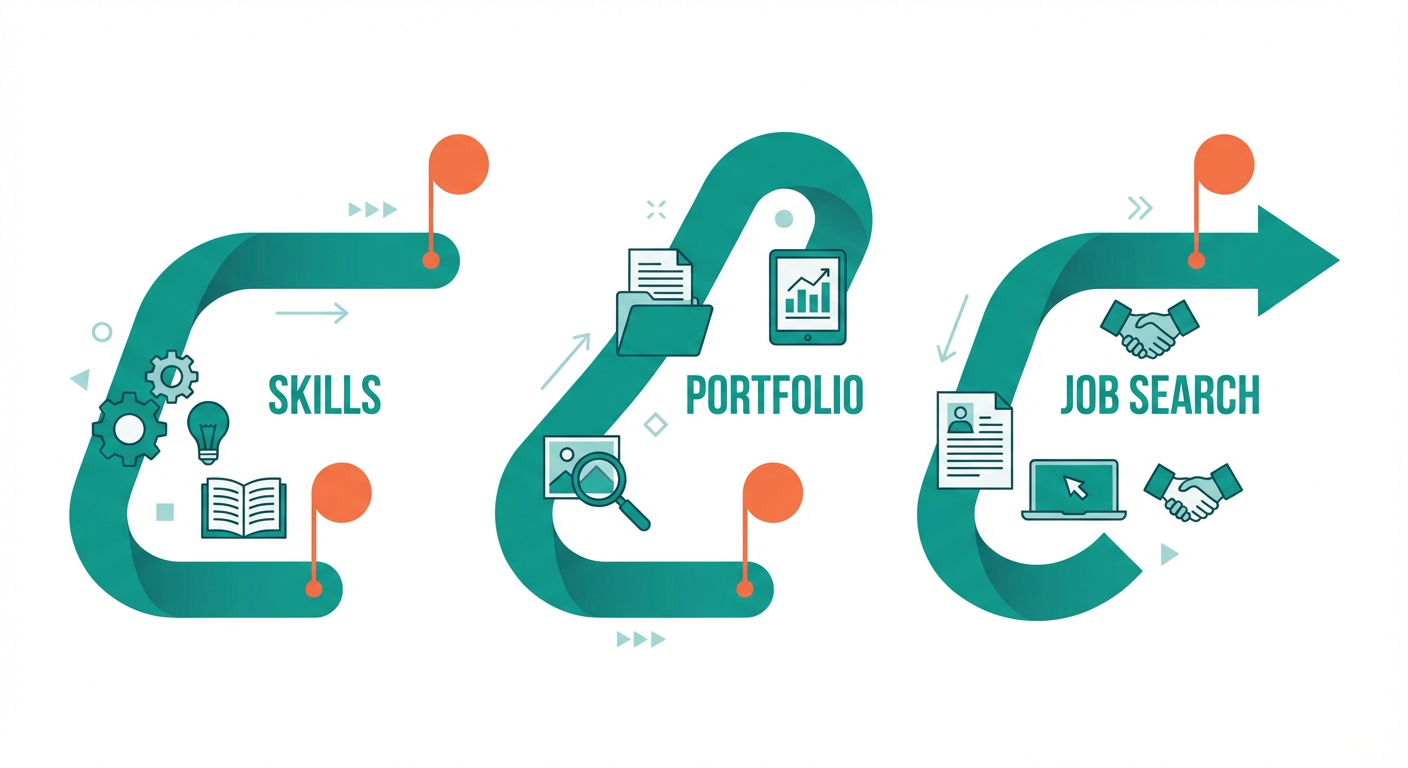
Set a realistic learning rhythm (20-30 minutes, 4-5 days/week) and rebuild confidence by translating your career-break experience into modern professional value. You'll choose a target role direction and create a simple roadmap for skills, portfolio, and job search actions.
Learning Outcomes:
- Build a personalized 45-day plan with weekly targets, catch-up options, and time-blocking that works around naps and evenings
- Identify 2-3 realistic role targets (remote/hybrid) and the core skills/tools each requires
- Write a first draft of your comeback positioning statement that reframes the career break as relevant experience
Welcome to your comeback.
If you are reading this, you have already taken the hardest step: deciding that you are ready to reclaim your professional identity. But if you are like the thousands of women we have helped navigate this transition, that decision likely came with a heavy dose of anxiety. You might be looking at job descriptions referencing "Asana workflows," "Slack etiquette," or "Notion databases" and feeling a pit in your stomach because those tools didn't exist--or weren't standard--when you last clocked out.
Here is the truth: You are not starting over. You are simply updating your operating system.
Research shows that nearly 43% of highly qualified women leave the workforce for a period of time to focus on family. You are in good company. You left as a competent, respected professional, and the cognitive skills that made you successful--critical thinking, crisis management, resource allocation--haven't atrophied. In fact, parenting has likely sharpened them.
This section is about designing a realistic, guilt-free roadmap to translate your past experience into modern value, all within the fragmented time windows you actually have available.
The "Naptime" Strategy: A Realistic Rhythm
The biggest mistake returners make is attempting to replicate a 9-to-5 intensity while still managing a household. That leads to burnout by Week 2. Instead, we are going to build a schedule based on Micro-Sprints.
We do not expect you to have three hours of uninterrupted silence. We assume you have a toddler who wakes up early from naps, school pickups, and a mental load that doesn't shut off.
Key Insight: Consistency beats intensity. A customized plan executed for 25 minutes a day, four days a week, will get you hired faster than a sporadic 4-hour marathon that leaves you exhausted and resentful.
Your 45-Day Commitment
We are setting a 45-day timeline to get you "market-ready." Here is the ground rule: We plan for 4 days of work per week.
Why only four? Because kids get sick. The dishwasher breaks. Life happens. If you plan for 7 days, you fall behind on Day 3 and feel like a failure. If you plan for 4, you have built-in "buffer days" that keep your momentum psychologically intact.
The Rhythm:
- Block 30 minutes: Ideally during a nap or immediately after school drop-off.
- Turn off notifications: This is your time. The laundry can wait 30 minutes.
- Single Task Focus: In this course, we won't multitask. We will learn one tool or complete one asset per block.
Defining Your Targets: Focus vs. "Spray and Pray"
When panic sets in, the instinct is to apply for everything. This is counterproductive. Modern remote roles require specific tool stacks. If you apply for a Project Manager role, an Executive Assistant role, and a Customer Success role, you have to learn three different sets of norms.
To be efficient, we need to narrow your focus to 2-3 allied roles that utilize your previous experience.
The "Then vs. Now" Translation Matrix
Use the table below to map where you were then to where you fit now.
| Previous Experience | Modern Remote Title Targets | Core "Must-Have" Tech Stack |
|---|---|---|
| Office Manager / Admin | Virtual Executive Assistant, Operations Coordinator, People Ops Coordinator | Slack, Google Workspace, Calendly, Zoom |
| Marketing Coordinator / PR | Social Media Manager, Content Coordinator, Community Manager | Canva, Notion, Buffer/Hootsuite, Slack |
| Project Manager / Producer | Remote Project Manager, Scrum Master, Product Owner | Asana/Jira, Slack, Miro, Loom |
| Customer Service / Retail Mgmt | Customer Success Specialist, Onboarding Specialist, Client Experience Lead | Zendesk/Intercom, Slack, CRM (Salesforce/HubSpot) |
Pro Tip: Do not let the "Senior" or "Lead" titles scare you, but also be open to "Coordinator" or "Specialist" roles as a strategic re-entry point. These roles often offer the highest flexibility and are the fastest way to prove your modern competency.
Reframing the Gap: Your Positioning Statement
The most dreaded interview question for returners is: "So, what have you been doing for the last five years?"
If you answer with an apology or look down at your feet, the interviewer senses risk. If you answer with confidence and clarity, they sense stability. We are going to draft your Comeback Positioning Statement. This isn't about hiding the gap; it's about bridging it.
The Formula:
- The Anchor: Remind them of your pre-gap expertise.
- The Bridge: Acknowledge the break briefly and factually (using "Planned Career Break").
- The Pivot: Focus immediately on your readiness and recent upskilling.
Example Script:
- Weak: "Well, I just stayed home with my kids for a few years, but before that I did marketing. I'm a quick learner, though."
- Strong: "Prior to my planned career break for family caregiving, I spent seven years managing marketing campaigns for mid-sized retail brands. During my time away, I maintained my organizational focus, and recently I've been proactively upskilling in modern remote workflows, specifically mastering Asana and Slack to ensure I can hit the ground running in a distributed team. I'm eager to bring that blend of veteran experience and fresh technical skills to this role."
Important: Notice the language shift. You are not "trying to get back in." You are "bringing veteran experience." The psychology of this shift is half the battle.
The 45-Day Roadmap Structure
This course is structured to move you from anxiety to application. Here is what your next 6 weeks look like. You can print this out and tape it to your bathroom mirror.
Phase 1: The Foundation (Days 1-10)
- Goal: Mindset reset and environment setup.
- Actions: Define role targets, setup your "office" (even if it's a corner of the dining table), and draft your resume skeleton.
Phase 2: The Tech Stack Sprint (Days 11-25)
- Goal: Functional literacy in the "Big Three" (Slack, Asana/Trello, Zoom).
- Actions: You won't just watch videos; you will perform tasks. You will create a Slack workspace, set up a project in Asana, and record a Loom video.
Phase 3: The Proof of Work (Days 26-35)
- Goal: Create a "Micro-Portfolio."
- Actions: Create a tangible work sample. If you are aiming for Admin roles, you will build a travel itinerary in Notion. If Marketing, a content calendar in Asana. This proves you can do the job, not just talk about it.
Phase 4: The Launch (Days 36-45)
- Goal: Active application.
- Actions: Finalize LinkedIn profile with current keywords, start "warm" networking, and submit your first 5 high-quality applications.
Moving Forward
You have defined your time blocks. You have identified your target roles. You have a script to handle the "gap conversation."
Now, we need to tackle the tactical barrier that causes the most imposter syndrome: The Tech.
In Section 2, we are going to dive straight into the Modern Remote Tech Stack. We will strip away the jargon and show you exactly how teams communicate today--so when you see "Must be proficient in Slack" on a job board, you won't just apply; you'll know you can out-communicate half the existing team.
Go grab your calendar, block out your four 30-minute windows for next week, and I will see you in the next lesson.
Section 2: Modern Remote Work Fundamentals: Digital Communication That Sounds Current
Learn today's communication norms across asynchronous messaging, meetings, and documentation so you feel fluent again. You'll practice tone, clarity, responsiveness, and boundary-setting in remote environments.
Learning Outcomes:
- Use modern communication frameworks (async updates, context-first messaging, decision logging) to avoid feeling "behind"
- Create a set of reusable scripts for common workplace scenarios (status updates, follow-ups, pushing back, meeting recaps)
- Demonstrate professional remote presence through clear writing, crisp summaries, and confident collaboration habits
You have successfully reset your mindset and defined your goals in Section 1. Now, we turn to the most immediate source of anxiety for returning professionals: Digital Communication.
If you have ever stared at a blinking cursor, wondering if you are using the right tone, or if you have felt a pang of panic because you do not know the "unspoken rules" of Slack or Microsoft Teams, you are not alone.
Here is the truth: You have not lost your ability to communicate professionally. You simply need to learn the local dialect of the modern remote workplace. By the end of this section, you will sound just as current, responsive, and capable as someone who never left the office.
The Shift: From "Present" to "Asynchronous"
When you were last in the workforce, "working" usually meant being visible at a desk or present in a conference room. If you weren't there, work stopped.
The biggest shift in the last five years is the move to Asynchronous Communication (or "Async").
Definition: Async communication happens when you send a message without expecting an immediate response. It is the opposite of a face-to-face conversation or a phone call.
For parents returning to work, async is not just a trend--it is your superpower. It is the mechanism that allows you to draft a project update at 8:30 PM after the kids are down, or review a document during a nap window, without needing to be "live" on camera.
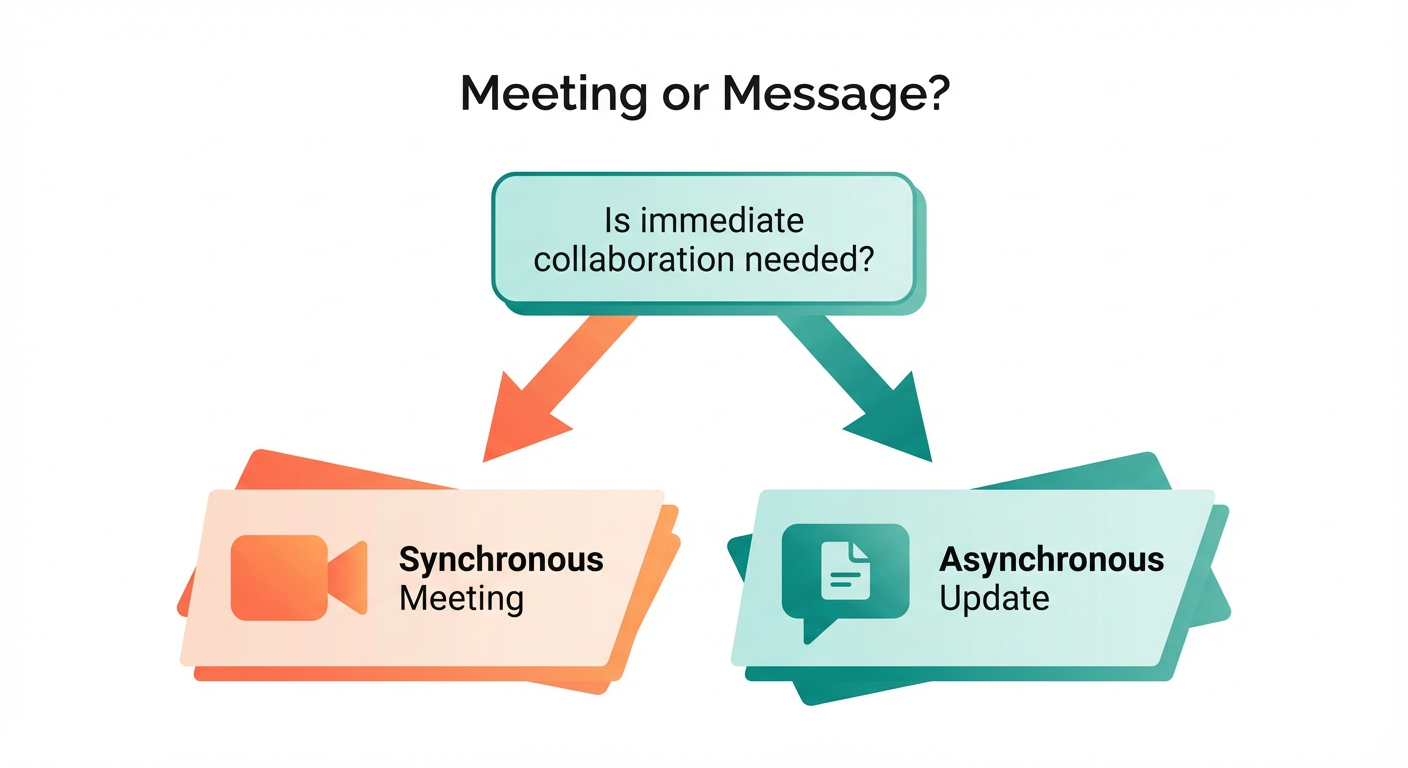
However, async only works if you communicate with high context. In an office, you could walk over to a colleague and ask a vague question because they could see your face and ask follow-ups immediately. In a remote setting, a vague message creates confusion and delays.
The "No Hello" Rule and Context-First Messaging
One of the hardest habits to break is "polite preamble." In 2015, it was polite to instant message someone: "Hi, are you there?" and wait for a reply.
In today's remote environment, that is considered an interruption that slows work down. The modern standard is Context-First Messaging. You must provide the "What," the "Why," and the "When" in the very first message.
Compare these two approaches:
| The "Old School" Approach | The Modern Remote Approach | Why the Modern Way Wins |
|---|---|---|
| "Hi Sarah! Do you have a sec?" (Wait 10 mins for reply) "Quick question about the report." | "Hi Sarah, checking in on the Q3 report. Do you have the final numbers for the marketing spend? I need them by 2 PM to finish the slide deck." | Respects Sarah's time. She can answer immediately with the data or flag it for later without a back-and-forth. |
| "I'm confused about this task." | "I'm reviewing the project brief and I'm stuck on step 3. I've checked the shared drive but can't find the 'Client Assets' folder. Could you link me to it?" | Shows initiative. You aren't just confused; you are showing you tried to solve it yourself first. |
| "Can we meet to discuss?" | "I have three questions regarding the launch timeline. I've listed them below. Can we resolve these here, or do you prefer a 15-min sync?" | Biases toward action. It gives the recipient the option to skip a meeting, which everyone appreciates. |
Pro Tip: If you are worried that being direct sounds rude, use "bookends." Start with a warm greeting ("Hi everyone," or "Hope you had a good weekend,") and end with a polite sign-off ("Thanks,"), but keep the middle purely informational.
Digital Body Language: Tone and Emojis
Is it professional to use a smiley face in a work email? Five years ago, the answer was likely "no." Today, the answer is "it depends, but often yes."
Without facial expressions or vocal inflection, text-based communication can easily sound cold or angry. Digital Body Language is how you signal warmth and intent.
- The Exclamation Point: In the past, using too many exclamation points felt amateur. In remote teams, a well-placed exclamation point signals enthusiasm. "Thanks!" reads much differently than "Thanks."
- The Reaction Emoji: In tools like Slack or Teams, you will often see people "react" to a message with a thumbs up (👍), eyes (👀), or a checkmark (✅).
- 👍 Thumbs Up: "I saw this and I agree/approve."
- 👀 Eyes: "I am looking into this now."
- ✅ Check Mark: "Task complete."
The Rule of Matching: When you join a new team or start an interview process, observe the communication style of the hiring manager or team leader. Do they use emojis? Do they write long paragraphs or bullet points? Mirroring their style helps you subconsciously signal that you "belong."
Scripts You Can Steal for Common Scenarios
You do not need to invent professional responses from scratch. Use these templates to handle common situations confidently. These are designed to make you sound organized and proactive.
1. The "I'm Working on It" (Status Update)
This script prevents your manager from wondering what you are doing, which is the #1 cause of micromanagement.
"Hi [Name], just a quick update on [Project Name].
- Completed: I've finished the draft and uploaded it to the shared folder.
- In Progress: Currently reviewing the budget spreadsheet.
- Blocker: I'm waiting on access to the CRM. Could you please approve that request?
- Next: Aiming to have the final version to you by Thursday EOD (End of Day)."
2. The "I Don't Know How to Use This Tool" (Without Looking Incompetent)
Avoid saying, "I've never used Asana." Instead, frame it as a workflow preference.
"I'm excited to jump into [Tool Name]. My previous experience was heavily focused on [Old Tool/Excel], so I'm getting up to speed on your specific workflow here. Do you have a preferred way you like tasks tagged, or should I follow the existing examples in the project?"
3. The Boundary Setter (Protecting Your Time)
If a request comes in at 5 PM when you need to handle dinner or pickup:
"I've received this and will prioritize it first thing tomorrow morning. Expect an update from me by 10 AM. Have a great evening!"
Leaving Loudly: Overcoming the "Always On" Trap
Many parents returning to work feel guilty about their fragmented schedules, leading them to hide when they step away. They leave their computer "active" while racing to school pickup, terrified a message will come in.
Modern remote norms encourage "Leaving Loudly." This means clearly stating when you are offline. It actually builds more trust than pretending to be available 24/7.
- Update your status: Use the status feature in Slack/Teams to say " 🏫 School Pickup - Back at 3:30 ET."
- Block your calendar: Mark times as "OOO" (Out of Office) or "Focus Time."
When you communicate your availability clearly, you treat your time with respect. In turn, your colleagues will too.
What Comes Next
You now have the scripts and the mental framework to communicate like a modern remote professional. You understand that "efficiency" is the new "politeness," and you know how to keep stakeholders informed without sitting in endless meetings.
However, knowing how to speak is only half the battle. You also need to know where these conversations happen.
What You'll Build On:
In this free preview, we've established the fundamentals. In the full course, we move from strategy to tactical mastery:
- Section 3 (Collaboration Hubs): We will open up Slack and Microsoft Teams. You will learn exactly which channels to join, how to thread replies (so you don't clutter the chat), and how to set notifications so your phone doesn't buzz during bedtime.
- Section 4 (Project Management): We dive into Asana and Trello. You'll learn how to assign tasks, visualize deadlines, and prove your productivity without sending a single email.
- Section 5 (Visual Communication): You will learn to use Loom and Zoom to present your ideas confidently on video, including lighting and background tips that make you look executive-level from your kitchen table.
- Section 6 (The Job Hunt): Finally, we apply all this to your Resume and Interviews, translating your caregiving gap into a narrative of resilience and adaptability.
The workplace has changed, but the demand for organized, clear, and empathetic communicators has not. By mastering these digital norms, you are already ahead of many existing employees who are still clinging to old habits.
Ready to master the tools? Join the full course to access the hands-on technical walkthroughs in Section 3.
Course Details
- Sections8 sections
- Price$79.00